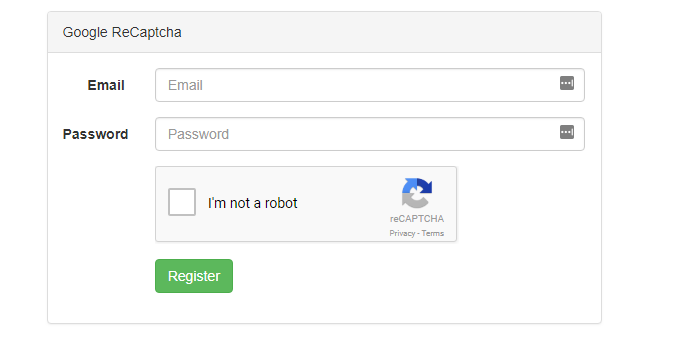
In this post, I will show how to use Google ReCaptcha with laravel 5.6. First of all, you need to get Site Key and Secret Key.
Step 1: Register your site
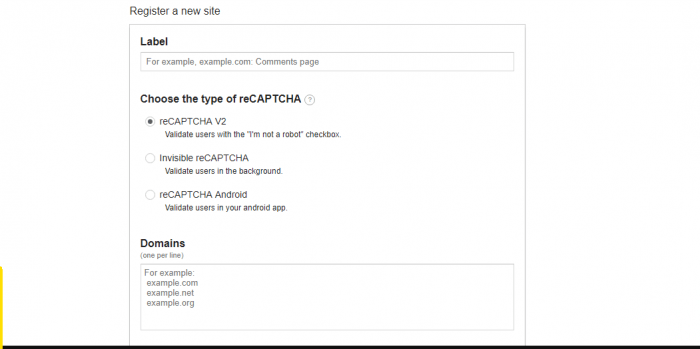
For this, click on this link to register your site. Enter your label and site address as shown in the screenshot below:
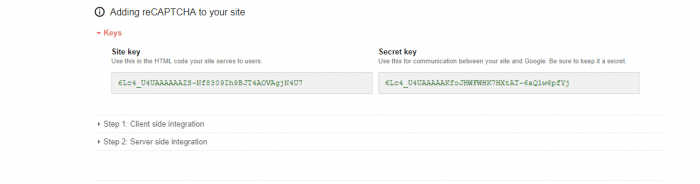
After you submit register button, you will get your site key and secret key
Step 2: Setup Key in your configuration file
After you get your keys, open up your .env file and add key details as like below:
NOCAPTCHA_SECRET=your-secret-key
NOCAPTCHA_SITEKEY=your-site-key
Step 3: Install Captcha Package
We will use https://github.com/anhskohbo/no-captcha this package to use Google captcha. Install this package using composer. Run the command to install the package
composer require anhskohbo/no-captcha
Now, open your app/config/app.php and add the following.
The ServiceProvider to the providers array :
'providers' => [
    .....
Anhskohbo\NoCaptcha\NoCaptchaServiceProvider::class,
],

'aliases' => [
    ......
'NoCaptcha' => Anhskohbo\NoCaptcha\Facades\NoCaptcha::class,
And lastly, publish configration file using command.
php artisan vendor:publish --provider="Anhskohbo\NoCaptcha\NoCaptchaServiceProvider"
Step 4: Create Routes for view
Let’s create two routes for getting view file and another for posting data. I have named it as “contact”.
Route::get('contact','ContactController@getContact');
Route::post('contact','ContactController@postContact');
Step 5: Create controller
To process our application logic, we need to create a controller named ContactController. Simply run the following command to create a controller.
php artisan make:controller ContactController
Lets modify our controller to to get view and process posted data from view. Final controller looks like below:
validate($request, [
            'email'                => 'required|email',
            'password'             => 'required|min:4',
            'g-recaptcha-response' => 'required|captcha',
        ]);

        dd('validation passed');
    }
}
Create View
Finally, create view to display register page and captcha. I have created a default blade as a master template. default.blade.php looks like below:
@yield('main')
So, this master template is extended by our custom contact us page. Adding form to contact template, our final contace-us.blade.php file looks like below:
@extends('default')
@section('main')
@if (count($errors) > 0)
@foreach ($errors->all() as $error)
- {{ $error }}
@endforeach
@endif
Google ReCaptcha
@endsection
That’s it. You are good to go with your captcha validation. Enjoy!